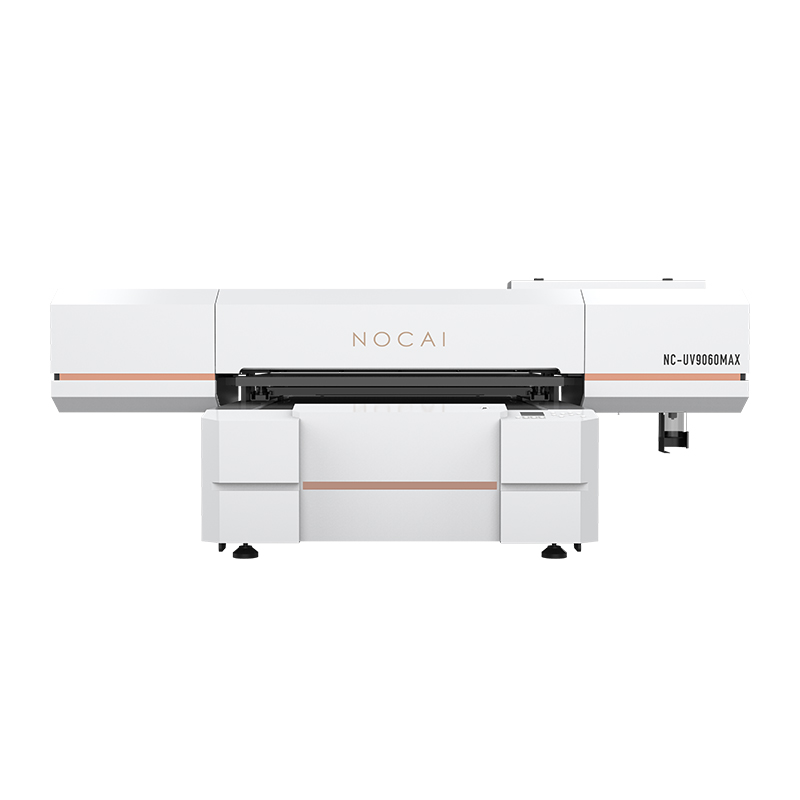

5 Core Tips to Significantly Extend the Service Life of Your Cosmetic Printer
Investing in a high-quality cosmetic printer means you’ve gained core competitiveness in rapid prototyping, personalized customization, and small-batch production. How to protect this vital asset, ensure its long-term stable operation, and maximize its value for you? The key lies in meticulous daily maintenance and standardized operation.
By following these 5 core tips, you can significantly reduce failure rates, extend the equipment’s service life, and ensure maximum return on investment.
Tip 1: Consistent Daily “Skincare” – Printhead Maintenance is Key
The printhead is the “heart” of a cosmetic printer, and its condition directly determines print quality and equipment lifespan.
- Daily tasks:
Power-on self-inspection: After powering on each day, always perform a nozzle check and print a test strip to ensure all nozzles are unobstructed and clear.Standardized shutdown: Use the device’s built-in automatic shutdown function to allow the printhead to return to its initial position, where it will be sealed by the moisturizing pad. This prevents ink from drying and clogging the nozzles. Never cut off the power directly!
- Regular cleaning:
Gently wipe off residual ink around the printhead using non-woven fabric and special cleaning fluid. Never touch the nozzle surface with sharp objects, and never blow on the printhead with your mouth.
Tip 2: Choose High-Quality “Cosmetics” – Consumable Selection is Critical
Filling your device with high-quality, compatible “blood” (consumables) is the foundation of its health.
- Use original or certified ink:
Different inks vary significantly in viscosity, chemical composition, and curing properties. Non-original or low-quality ink can easily cause printhead clogging, corrosion, or even failures in the pipeline and pump systems – repair costs will far exceed the savings from cheap consumables.
- Use specified UV lamp models:
The power and wavelength of the curing lamp directly affect ink curing 效果 and adhesion. Unstable power or mismatched wavelengths can lead to incomplete curing or over-curing, compromising product quality.
Tip 3: Create an Ideal “Working Environment” – Environmental Control is a Guarantee
Cosmetic printers are precision devices with specific environmental requirements.
- Stable temperature and humidity:
The optimal working environment is typically 20°C–30°C (temperature) and 40%–60% (humidity). Excessively high or low temperature/humidity can alter ink viscosity, causing printing breaks, ink splatters, and other issues. It’s recommended to install air conditioning and dehumidifiers in the workshop.
- Clean and dust-free:
Dust is the printhead’s worst enemy. Floating particles can clog nozzles or scratch the printhead surface. Keeping the workspace clean and regularly wiping down the device’s exterior and platform will effectively reduce dust intrusion.
- Stable flooring:
Place the device on a level, vibration-free surface. Severe vibrations can disrupt printhead positioning accuracy, resulting in ghosting or misalignment.
Tip 4: Keep the “Blood Vessels” Clear – Ink Supply System Maintenance
A stable ink supply is essential for continuous printing.
- Regular inspections:
Check the ink circuit system once a week for air leaks or ink leaks. Ensure ink tubes are not twisted or crushed.
- Standardized operation:
When replacing ink cartridges or ink bottles, strictly follow the operating procedures to prevent air from entering the ink circuit (which forms bubbles and causes ink breaks during printing).
Tip 5: Keep the Device in “Regular Motion” – Scheduled Power-On and Task Arrangement
Prolonged idleness is just as harmful to the device as overuse.
- Prevent idleness:
Even without production tasks, power on the device at least once a week. Perform nozzle checks and print small-format jobs to keep ink circulating in the tubes and printhead, ensuring they stay clear.
- Scientific task scheduling:
Avoid running the device at full load 24/7. During long printing tasks, schedule short rest intervals to help components (especially the printhead and mainboard) dissipate heat, extending their lifespan.
Treat your cosmetic printer as a member of your team – give it “meticulous care” and “professional respect,” and it will reward you with lower failure rates, more stable output quality, and a longer service life. These maintenance tips may seem simple, but their value lies in persistence. Developing good habits is the most reliable insurance for your business.
For more detailed equipment maintenance procedures or to obtain exclusive service support, please feel free to contact our technical team. Let’s work together to keep your creative equipment vibrant forever!